Article
Check a supplier’s accessibility evidence before buying software
Review accessibility report scope, test critical user journeys and require evidence of fixes before accepting a supplier’s software.
Contrata editorial team ·
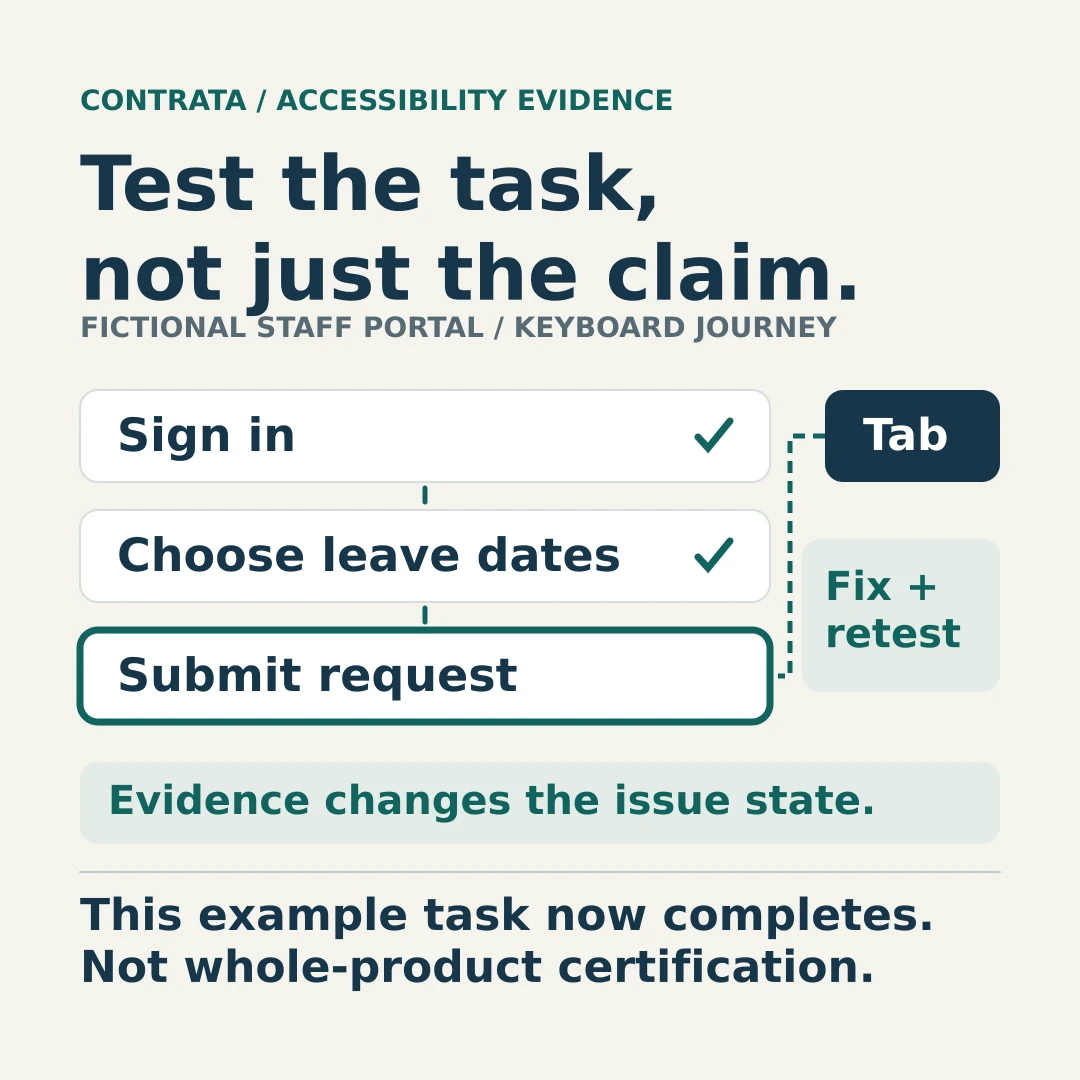
Before accepting a supplier’s accessibility claim, match its evidence to the software you will buy and the tasks people need to complete. A report covering the public website says little about an employee portal’s sign-in, forms or approval screens unless those functions were assessed.
For a lean third-party risk team, the job is to identify that boundary, involve people with the right accessibility expertise and make unresolved barriers visible in the purchase decision. Filing a report is only the start.
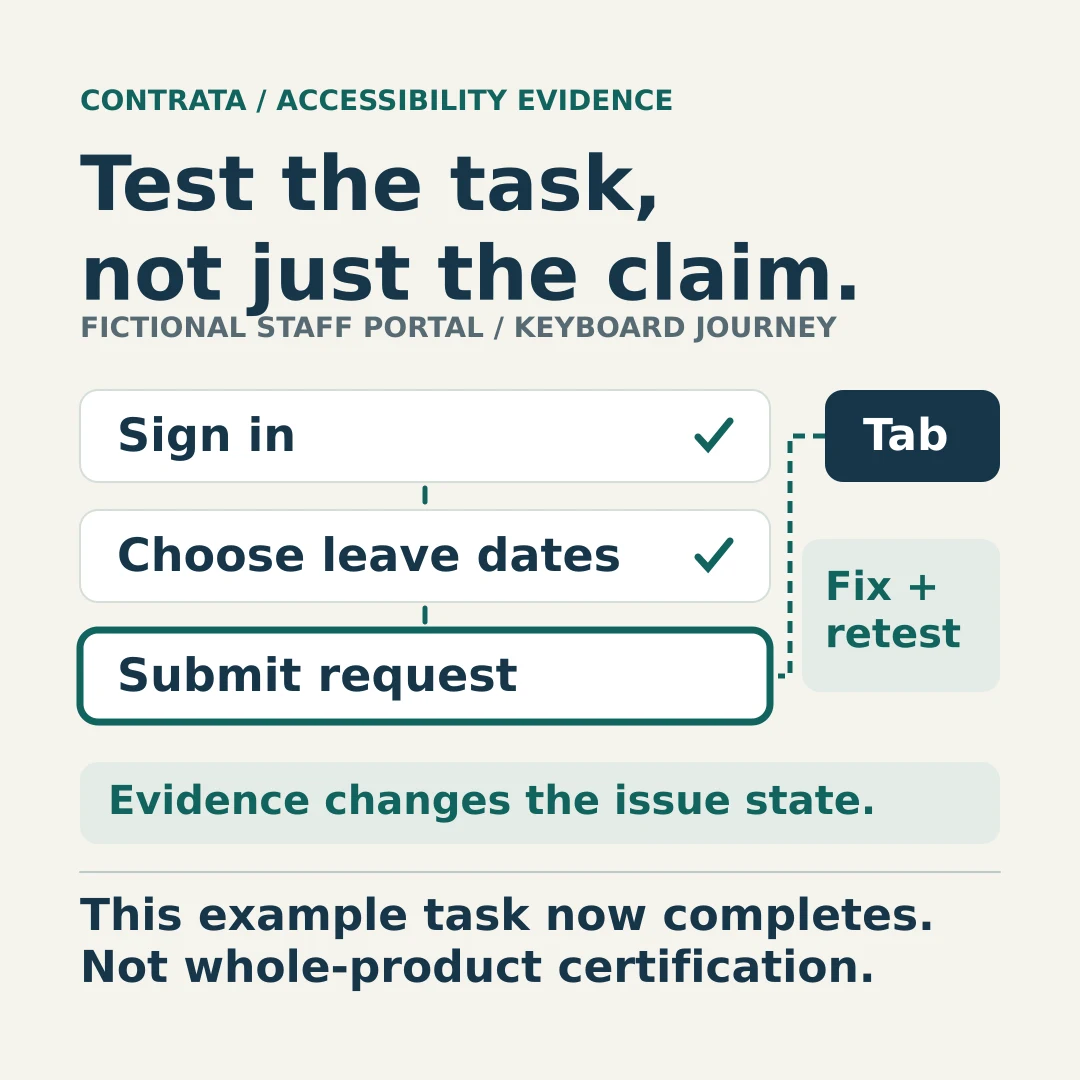
A claim is not a tested user journey.
Define what the purchase must support
Ask the service owner to describe who will use the product, on which devices and through which essential journeys. Include staff and administrator functions, not just the customer-facing screens in a sales demonstration. Add the accessibility evidence request to the broader vendor due diligence questionnaire.
Separate legal duties from technical targets. The Australian Human Rights Commission’s digital accessibility guidelines are not legally binding, and following them does not guarantee compliance with the Disability Discrimination Act. Obtain advice on the obligations relevant to your organisation and service.
The Digital Transformation Agency’s accessibility criterion addresses government agencies and includes procurement and ongoing testing. It is not a universal procurement rule for private businesses. Record the applicable standard, version, conformance level and contractual requirements rather than assuming every Australian purchase has the same WCAG target.
Read the report before accepting its conclusion
A supplier may provide an Accessibility Conformance Report, or ACR, completed using the Voluntary Product Accessibility Template, VPAT®. ITI, which publishes the template, explains that the completed document is an ACR and that there is no VPAT certification. Establish who prepared it and who performed the testing; do not assume independence from the document’s appearance.
Use the following review prompts before sending technical questions to an accessibility specialist.
| Check | Establish from the evidence |
|---|---|
| Product and release | The exact product, modules and release assessed, plus relevant changes since testing |
| Coverage | Whether web, mobile, administration, authentication and generated documents are included or excluded |
| Assessment target | The standard and version, conformance level, and report/template edition |
| Test basis | Assessment dates, evaluator, methods, sampled journeys, browsers and assistive technologies used |
| Findings | The explanation behind each relevant result, affected functions and unresolved barriers |
WebAIM’s procurement guidance recommends scrutiny of product/version, report date, notes and evaluation methods. For continuously updated software, ask what changed after the assessment and which changes were retested. A recently issued document may still describe an older interface.
Read the remarks beside “partially supports” and “does not support”. Ask for the user impact and reproducible example. A “supports” entry without a useful explanation may also need clarification. Do not turn a count of favourable rows into an overall accessibility verdict.
Test the task from entry to completion
A useful trial follows the work people actually need to do: authenticate, find a record, complete a form, correct an error, submit it and understand the outcome. Check the configured product, including third-party components, rather than relying solely on an unmodified demonstration tenant.

Illustrative photograph by Tom Swinnen / Pexels, used under the Pexels License. Input devices illustrate the need to test how a task is completed; the photograph does not demonstrate accessibility compliance.
W3C’s WCAG Evaluation Methodology is an informative Group Note; it adds no WCAG requirements. It describes representative sampling and evaluation of complete processes, including interactions and error feedback. Use it with a competent evaluator to agree test coverage; a buyer’s spot check is not a full conformance evaluation.
Ask the evaluator to include keyboard operation, relevant screen-reader interactions, zoom and other access needs identified for the service. Record what was tested and what remains unexamined. W3C’s evaluation tools guidance explains that some checks cannot be automated. A clean automated scan cannot settle the review.
Involve people with disability in evaluating the journeys, with appropriate support and consent. W3C recommends combining user evaluation with standards-based assessment, and cautions against generalising from one person’s experience. Neither a technical checklist nor one successful demonstration represents every user.
Fictional example: the leave request that stops at the calendar
A buyer is evaluating leave-management software. The supplier’s ACR covers its web application, but a trial of the proposed configuration finds that keyboard users cannot reach the date-picker controls. They cannot complete a leave request through that route.
The supplier offers a future release and suggests that employees ask a colleague to submit requests meanwhile. The reviewer records the blocked task and refers the proposed alternative to the service owner and accessibility specialist. Do not assume help from another employee provides equivalent access, particularly when the request contains personal information.
The buyer asks for the defect reference, affected configurations, target release and a retest of the complete leave-request journey. In this example, acceptance remains open until the agreed requirements and evidence have been assessed. The supplier’s delivery promise is not recorded as a completed fix.
The animation illustrates a later retest in which that task completes after a fix; this scoped result would inform, not replace, the wider acceptance decision.
Make remediation part of acceptance
The Commission’s procurement guidance recommends comparing verifiable evidence, involving end users and, where remediation is proposed, agreeing timeframes. Turn that into purchase-specific acceptance criteria with procurement, legal and accessibility input.
For each unresolved barrier, record the affected task, supplier owner, committed fix, due date and evidence required to close it. Specify who will retest the change, in which configuration, and who can decide whether acceptance requirements have been met. Agree how unresolved defects affect rollout and what contractual options apply if commitments are missed.
Keep accessibility findings separate from the supplier assurance report review. A report about security controls does not demonstrate that someone can complete a form.
Retain the assessment version, test results and acceptance decision. Set review triggers for material interface changes, new modules and reported barriers. Close a finding when the agreed retest supports closure, not when the supplier marks its development ticket complete.