Article
Track supplier software end-of-support before it becomes an exception
Check the support lifecycle of supplier-managed software, verify coverage and set an owner, decision date and migration plan before support ends.
Contrata editorial team ·
A supplier's patch report can be current while the database supporting your service is approaching its final security update. The account manager may still promise to answer support calls after that date. Neither fact tells you who will develop a fix for a newly discovered vulnerability.
For supplier-managed software, track the support lifecycle alongside patch performance. Identify the underlying product and version, establish what support will end, and agree who must decide what happens next. Start early enough to fund, test and complete the change before the remaining options narrow to an urgent exception.
The workflow below is a practical review method, not a universal legal requirement or a substitute for technical assessment.
The executive summary of ASD’s 2025–26 Annual Cyber Threat Report keeps reducing legacy IT and supply-chain management among its priorities. That context makes support-expiry planning timely; it does not establish that a particular supplier is exposed or compromised.
Support dates need an owned response.
Establish what “supported” means
Ask about the software that runs the contracted service: operating systems, databases, runtimes and other dependencies whose loss of support could affect delivery. A support promise for the supplier's application may not cover all those layers.

Illustrative photograph by panumas nikhomkhai / Pexels, used under the Pexels License. Hardware illustrates the layers behind a service; it does not establish a supplier’s software version, support coverage or security.
ASD's September 2026 Information Security Manual guidance on system management recommends maintaining software registers and monitoring trustworthy sources for cessation-of-support information. It advises removing or replacing unsupported technology and using compensating controls where immediate removal or replacement is not possible. Apply that guidance within your organisation's circumstances and obligations; it does not create the same contractual duty for every supplier.
Check each vendor's terminology. Under Microsoft's Fixed Lifecycle Policy, Extended Support can still include security updates, although its scope differs from Mainstream Support. The end of mainstream support is therefore not automatically the end of security updates.
Microsoft's Extended Security Updates guidance describes a separate, limited bridge for certain products beyond end of support. It does not extend the product lifecycle or restore ordinary support. If a supplier relies on such coverage, verify eligibility, enrolment, covered instances and expiry rather than accepting “extended support” as a complete answer.
Build a service-specific lifecycle record
Start with the dependencies most consequential to your service. Ask the supplier to explain its wider inventory and lifecycle-management process without requiring your risk team to maintain a duplicate register of every software package.
| Record | Evidence to request |
|---|---|
| Service and dependency | Product, edition, version and the production or recovery environment it supports |
| Support boundary | Vendor lifecycle notice and the exact type of support ending |
| Current coverage | Applicable support terms and evidence that the deployed environment qualifies |
| Replacement route | Target version or alternative, compatibility assessment and delivery milestones |
| Accountability | Supplier technical owner, your service owner and the person authorised to decide |
| Timing | Support-end date, internal decision deadline and next evidence check |
Record the source and date checked. A public lifecycle page establishes the vendor's policy; supplier evidence connects that policy to the actual environment. If the supplier cannot disclose detailed architecture, seek a bounded statement covering the relevant dependencies and any exceptions, supported by suitable assurance evidence. Record what remains unverified.
ISACA's commentary on secure development and third-party components highlights maintainability, product roadmaps, component inventories and clear ownership. Those questions remain useful when another organisation operates the software for you.
Use a targeted supplier evidence request when the response supplies patch history but leaves lifecycle coverage unanswered.
Work backwards from the support-end date
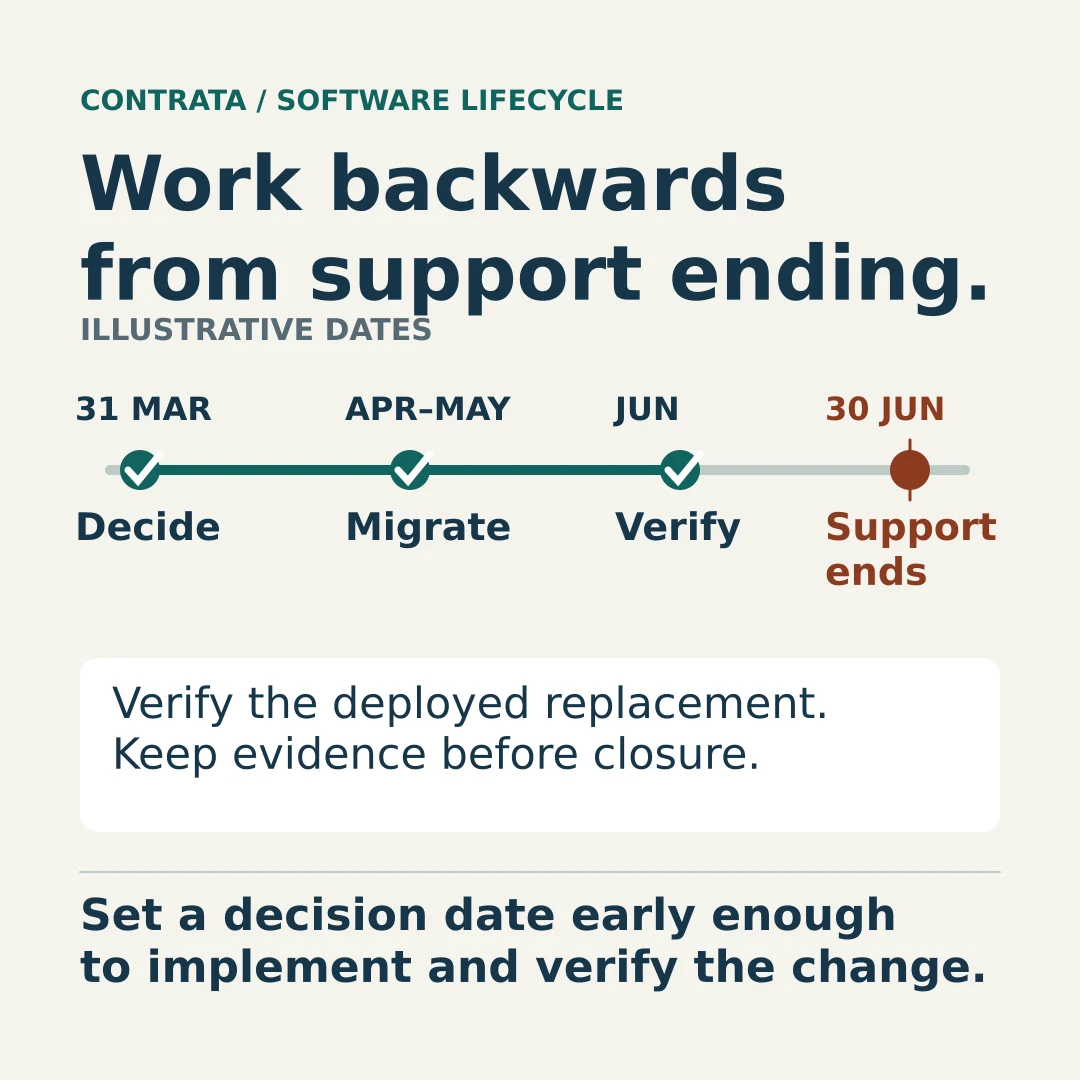
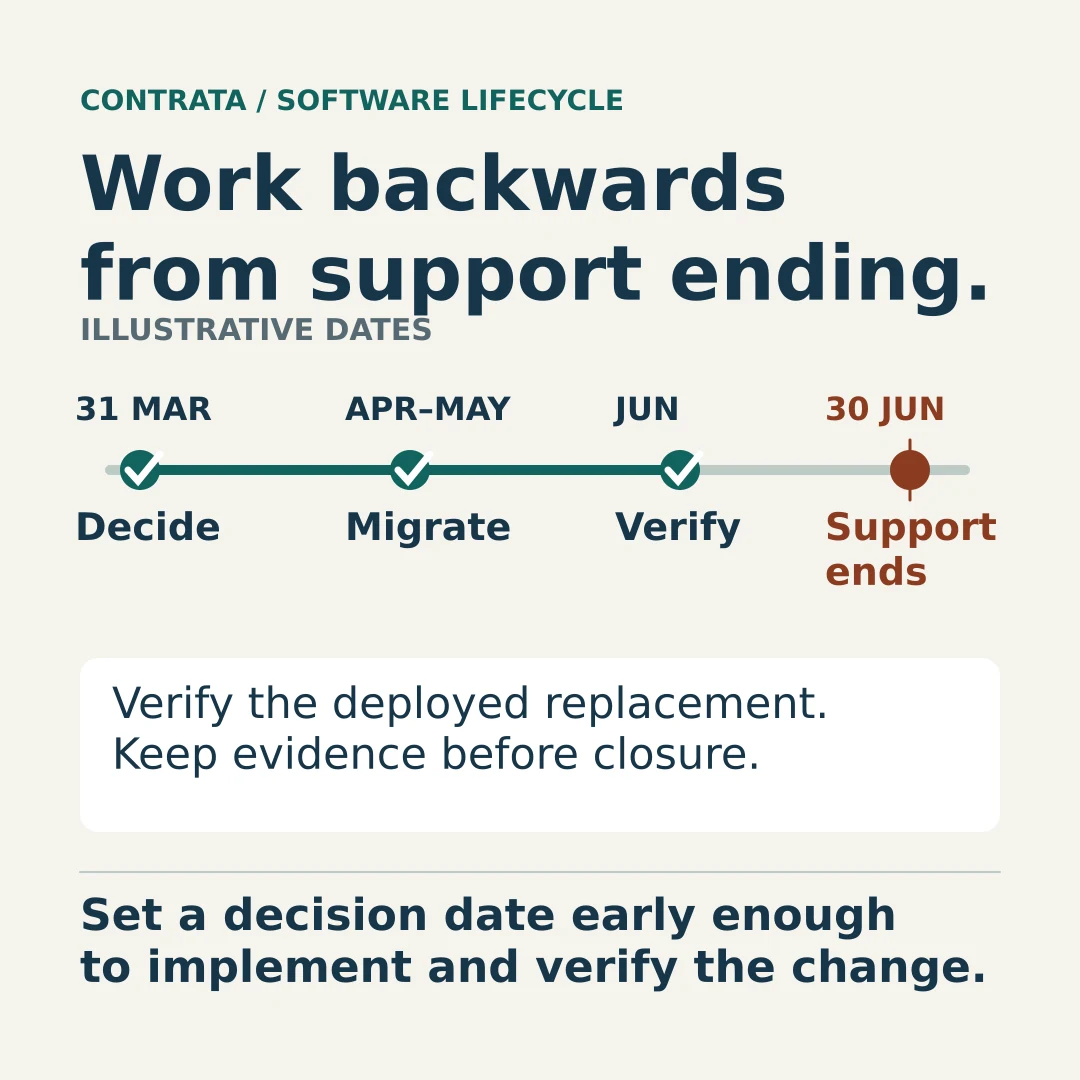
The final support date is too late for a decision that requires funding, compatibility testing and a migration window. Set an earlier internal deadline based on the work needed and the consequences of delay.
Consider this fictional planning example. A supplier-managed database will lose the relevant security-update coverage on 30 June. The supplier needs April and May for migration and testing, with June reserved for validation and contingency. The service owner therefore seeks a decision by 31 March. These are illustrative planning dates, not prescribed lead times.
At that decision point, require an executable option: upgrade, replace the component, change the service or retire it. If temporary extended coverage is proposed, establish its exact limitations, cost owner and final exit date. Do not move the original support-end date simply because a mitigation has been approved.
Separate the supplier's delivery commitment from your organisation's risk decision. A decision record with options, assumptions and authority helps explain why the chosen timetable is acceptable and what would cause it to be reconsidered.
Put the roadmap into the commercial conversation
Review whether the agreement addresses underlying software support, rather than assuming a general maintenance clause does so. Procurement, legal and technical owners can consider provisions covering:
- notice of support changes affecting the service, including changes to important dependencies;
- responsibility for upgrade work, compatibility testing, costs and customer actions;
- delivery milestones and evidence that the replacement is supported;
- escalation and available contractual remedies when milestones slip.
These are negotiation topics, not rights every customer already holds. Check the signed terms before relying on them.
The UK's NCSC through-life product guidance recommends publishing security-update lifecycles and giving customers suitable notice before support ceases. Use that as a useful supplier discussion point, not an Australian legal notice period.
For a supplier roadmap that says only “upgrade planned”, ask what is approved, who owns delivery, which dependencies could delay it and when your service will be validated on the replacement.
Close the lifecycle gap with evidence
A completed change ticket should lead to a check of the deployed version, its support status and the affected service. Confirm that obsolete instances are removed or separately controlled, including recovery environments that could reintroduce the old software during a failover.
Apply evidence-based remediation closure, then update the lifecycle record with the new support boundary. Keep any remaining gaps visible to the risk owner.
For the next review, choose one important supplier service and ask for its nearest software support-end date. The useful answer includes the evidence, the delivery owner and the date by which your organisation must decide.